

ORA & Retire Ready
Role
Lead Product Designer (Retire Ready)
Product Designer (ORA)
Impact
Used by 2.3 million employees
Industry
GovTech · B2B2C
Duration
ORA ~1 year · Retire Ready 3 months
Overview
This project is part of a presidential initiative to modernize the federal government's digital infrastructure. Before the initiative, federal employees had to navigate complex paper forms to receive their benefits, which could take up to 7 months. The system now helps 2.3 million federal employees get their first paycheck approved in under 7 days, and has removed paper entirely.
Retire Ready
Retire Ready is a pre-retirement tool employees can use months or years before officially retiring, reviewing service history, testing retirement-date scenarios, and fixing errors before they become blockers. It exists because 80% of delays in ORA's fastest cases traced back to one thing: incorrect military service records. Catching that early made instant retirements possible for far more people.
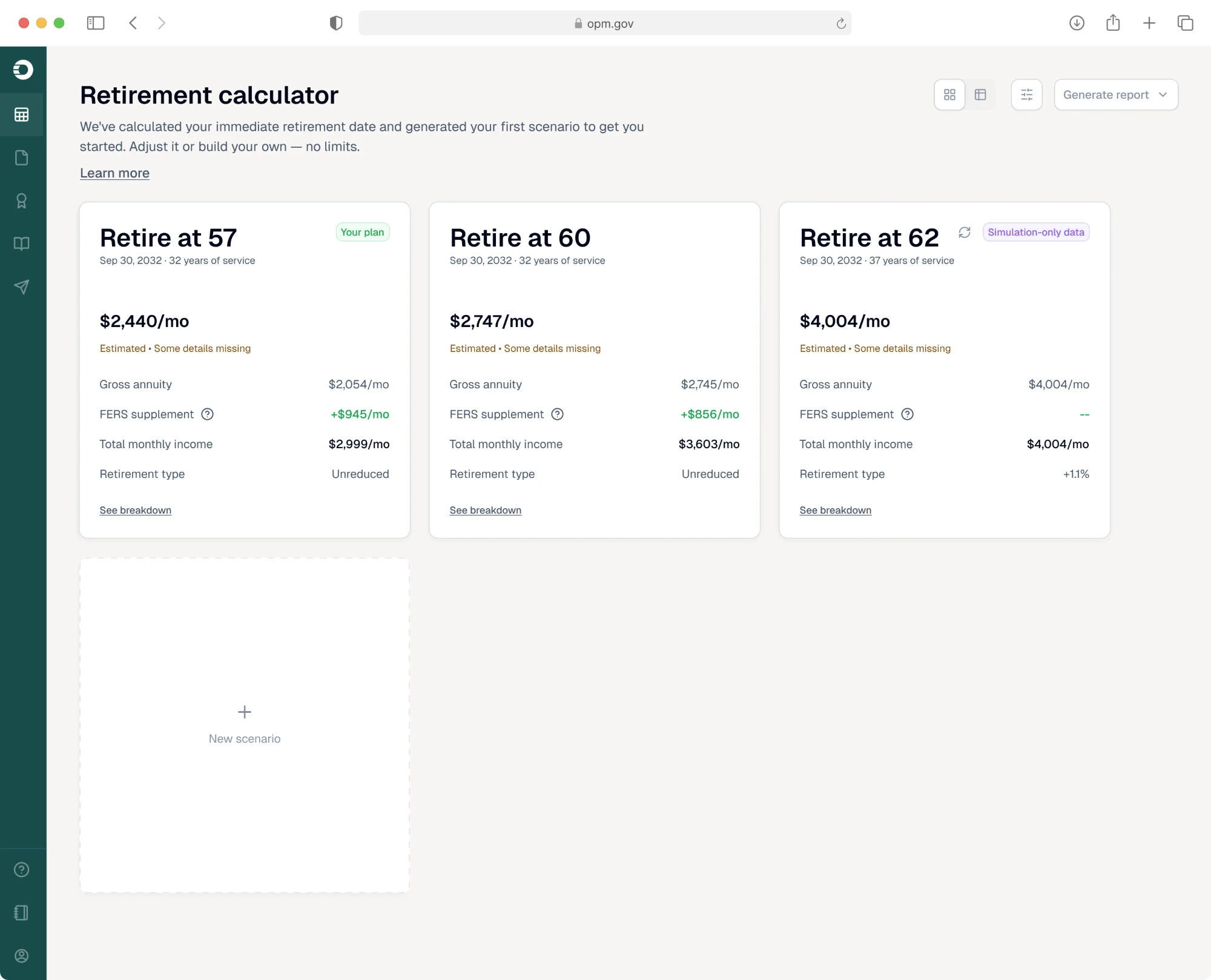
The Retirement calculator: scenario cards for retiring at 57, 60 and 62, each with the monthly estimate, gross annuity, FERS supplement and retirement type, plus a New scenario card.
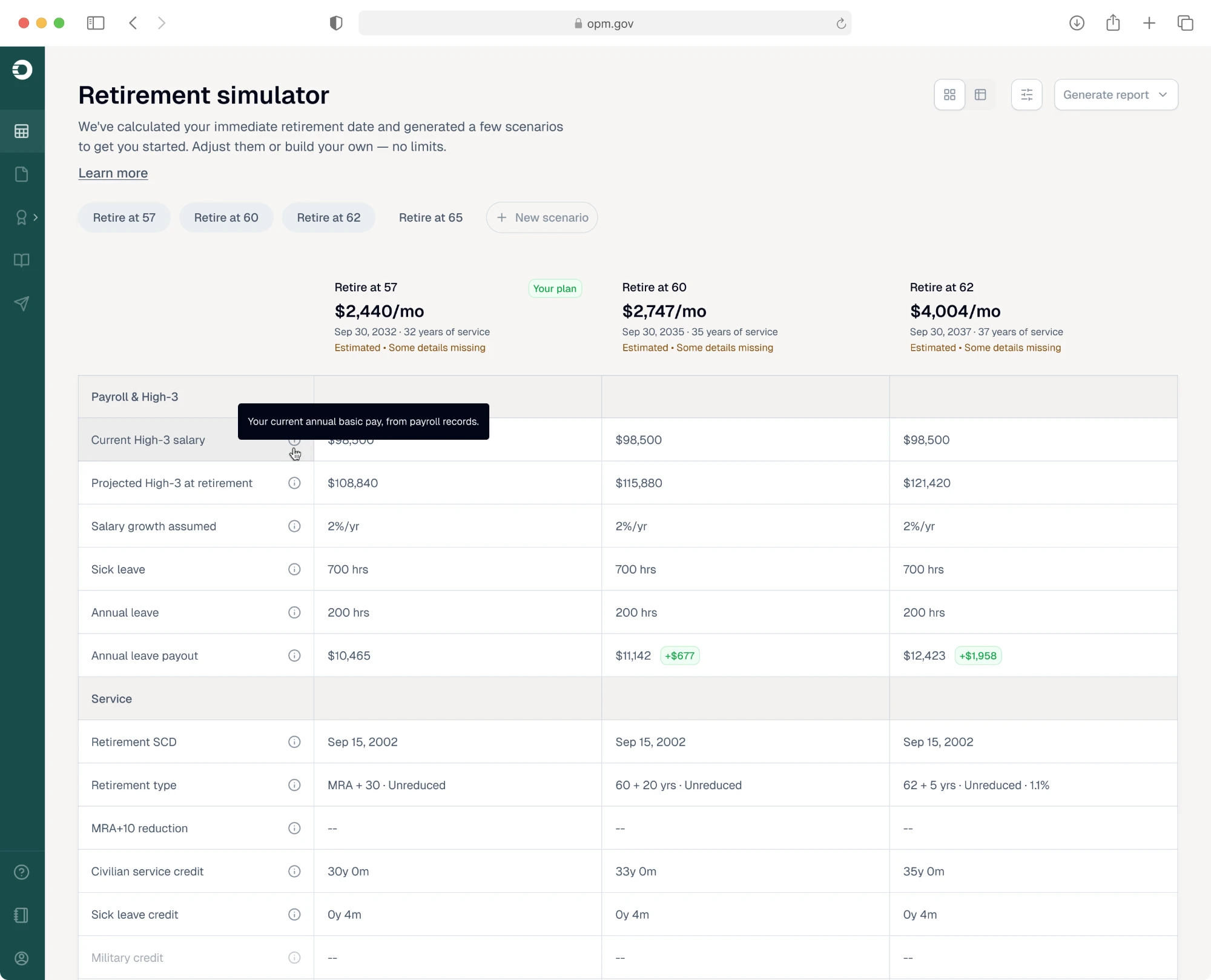
The Retirement simulator: the same scenarios compared side by side in a table of payroll, High-3 and service details.
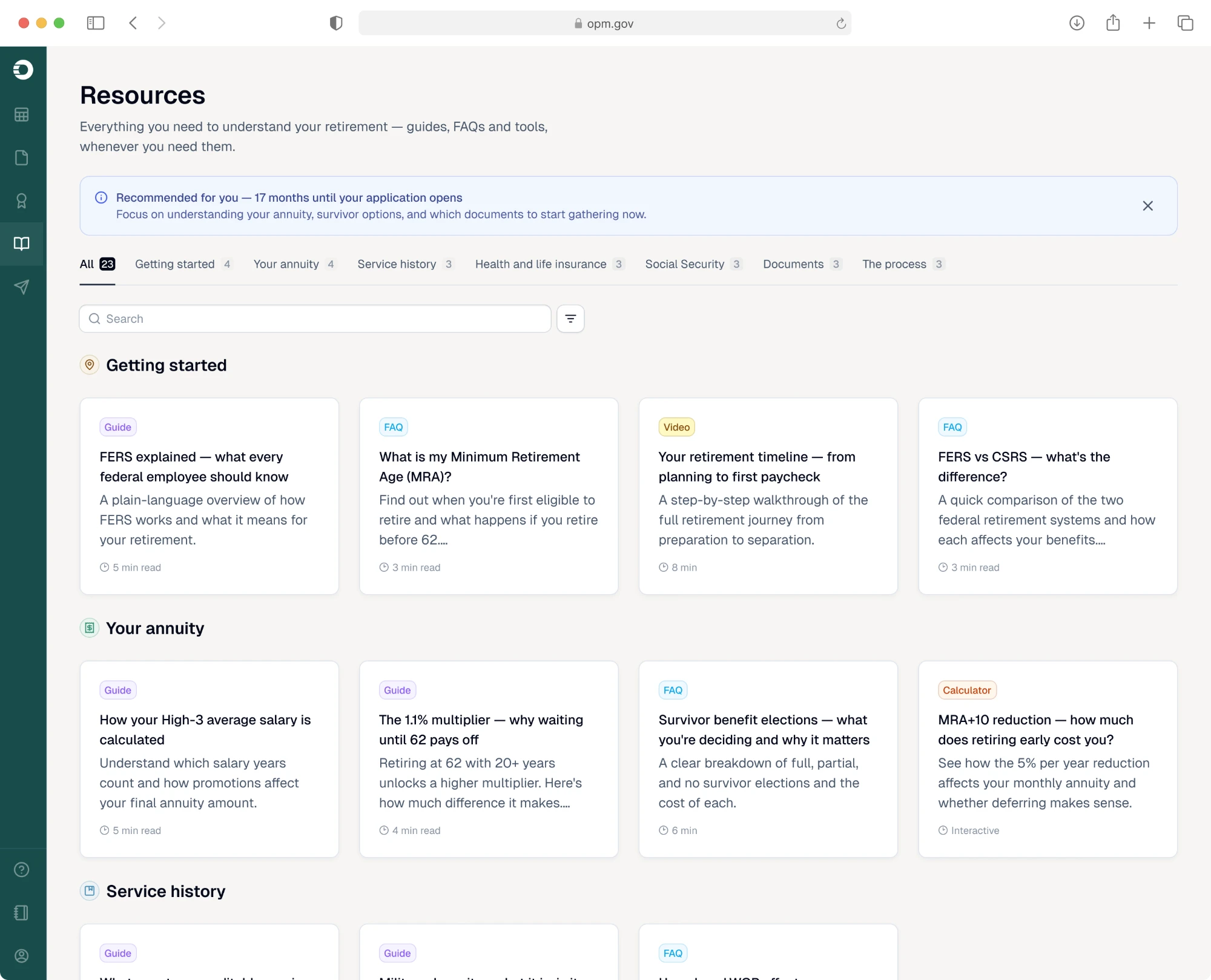
The Resources library: guides, FAQs, videos and calculators grouped by topic, with search and a recommendation banner.
Simplifying without duplicating ORA
Retire Ready needed to ask nearly the same questions as ORA, but lighter, reliable enough for an accurate estimate, simple enough for someone a decade from retiring. Progressive disclosure and plain language let complexity scale up only when it's needed.
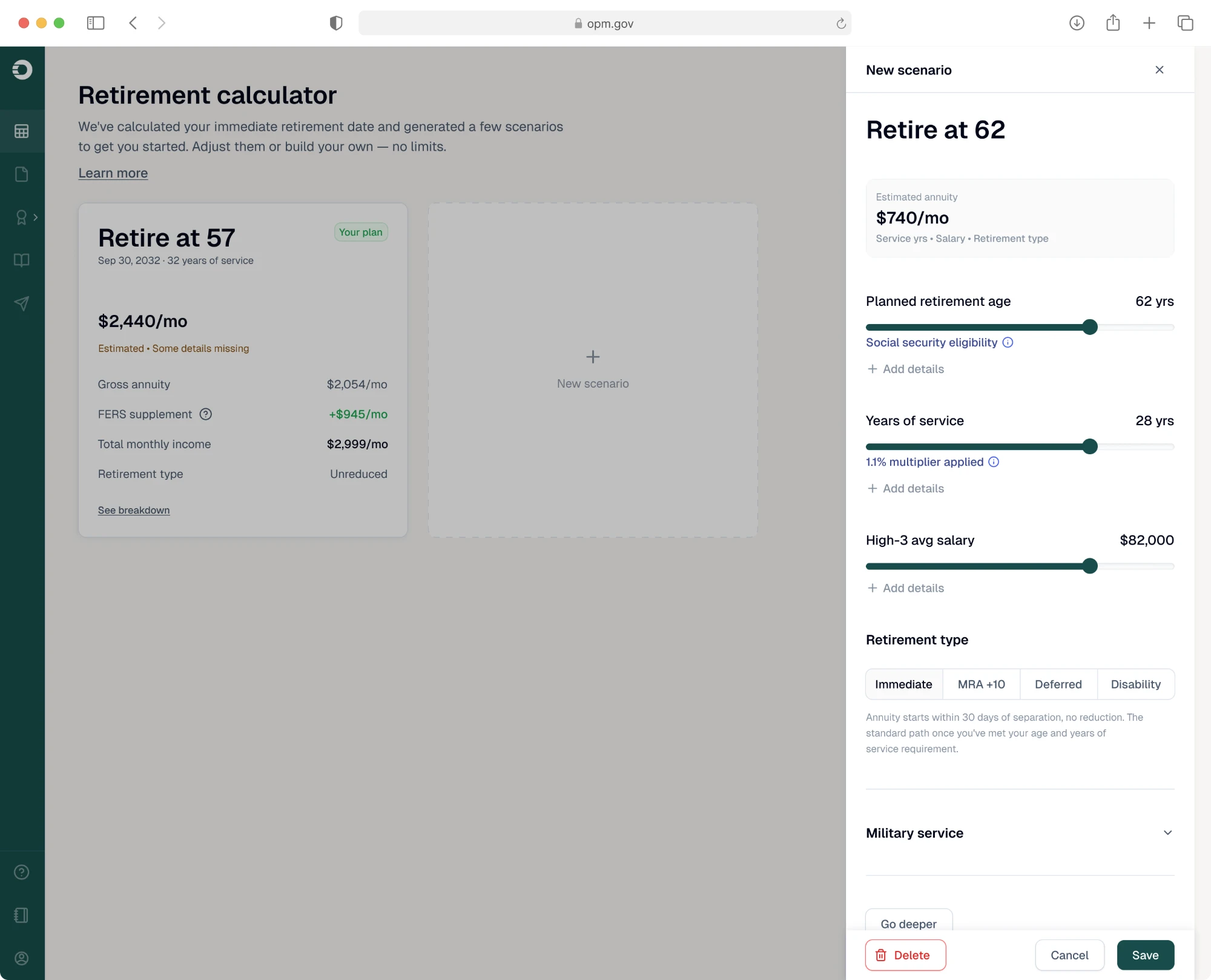
The New scenario panel: sliders for retirement age, years of service and High-3 salary, a retirement type picker, and collapsible sections like military service.
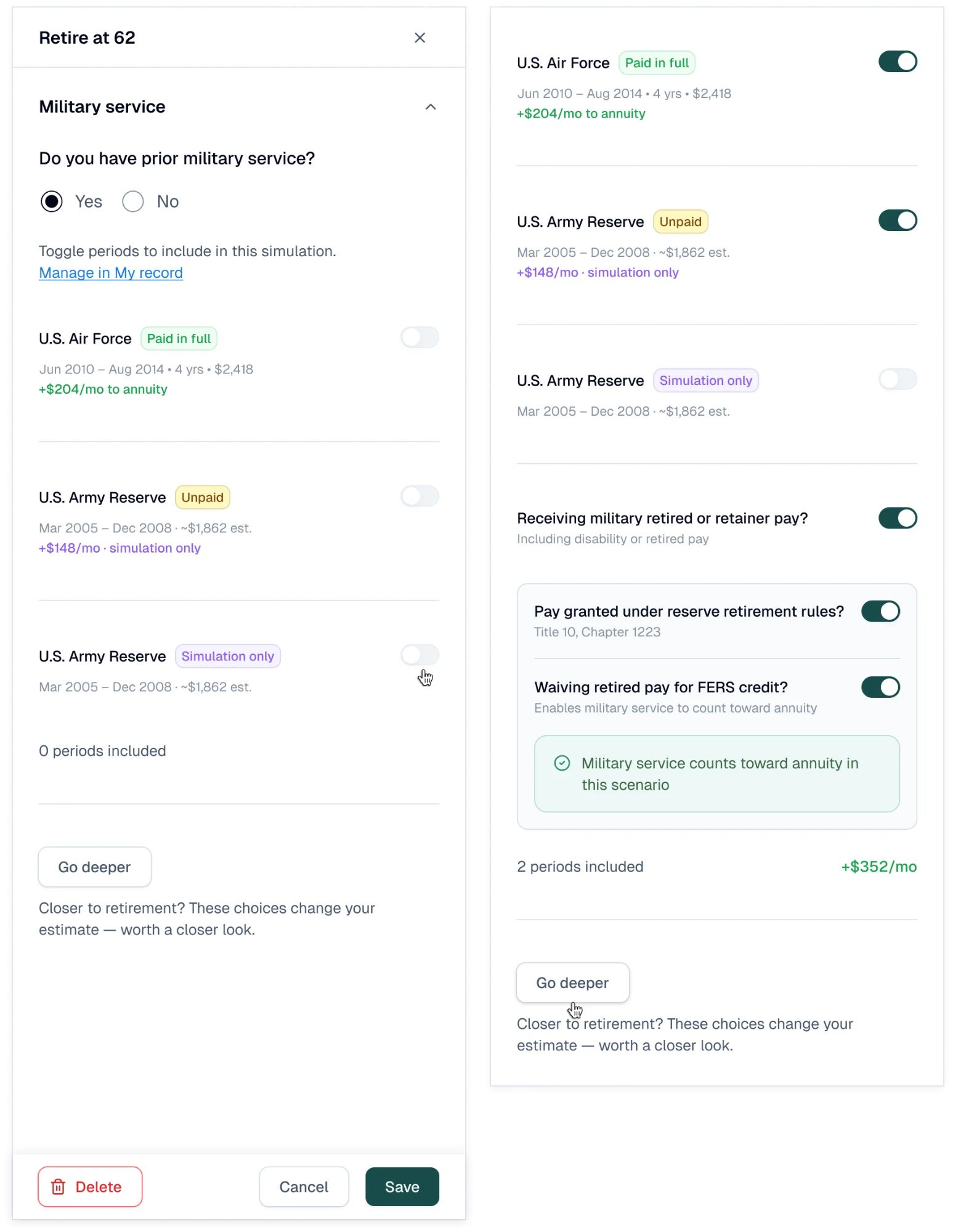
The scenario panel's military service section: prior service periods with paid, unpaid and simulation-only states, toggles for including each period, and what that adds to the annuity.
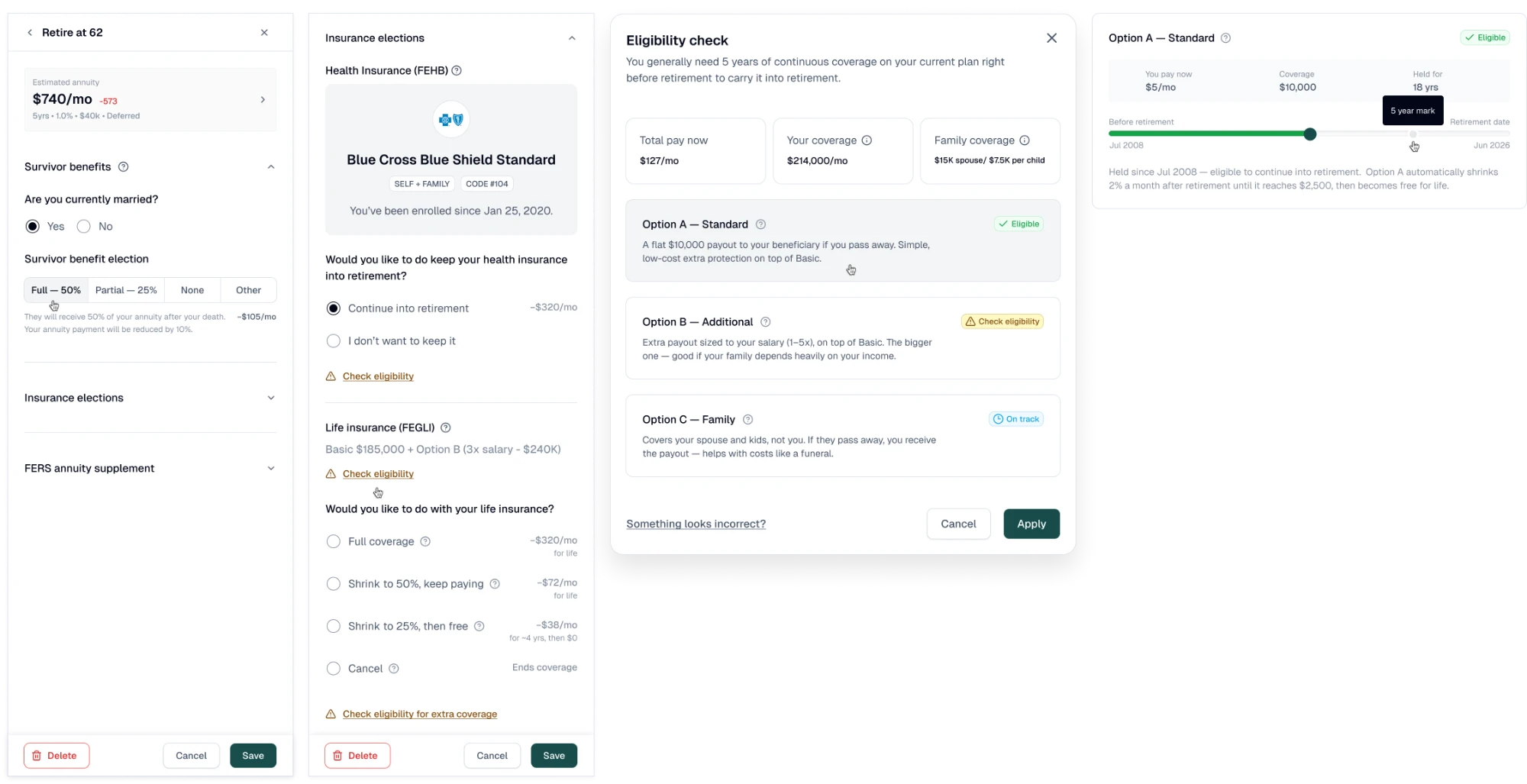
More states of the scenario panel: survivor benefits, health and life insurance elections, an eligibility check dialog and a coverage timeline.
Knowing what to flag
Not every update matters to HR. An incorrect military service record gets flagged even ten years out, since it's the one thing that blocks an instant retirement later but HR isn't pulled in over every minor suggestion from someone who isn't close to retiring. A pre-defined set of dismissal reasons kept every response consistent, replacing scattered chat messages and personal emails with something structured for both HR and employees.
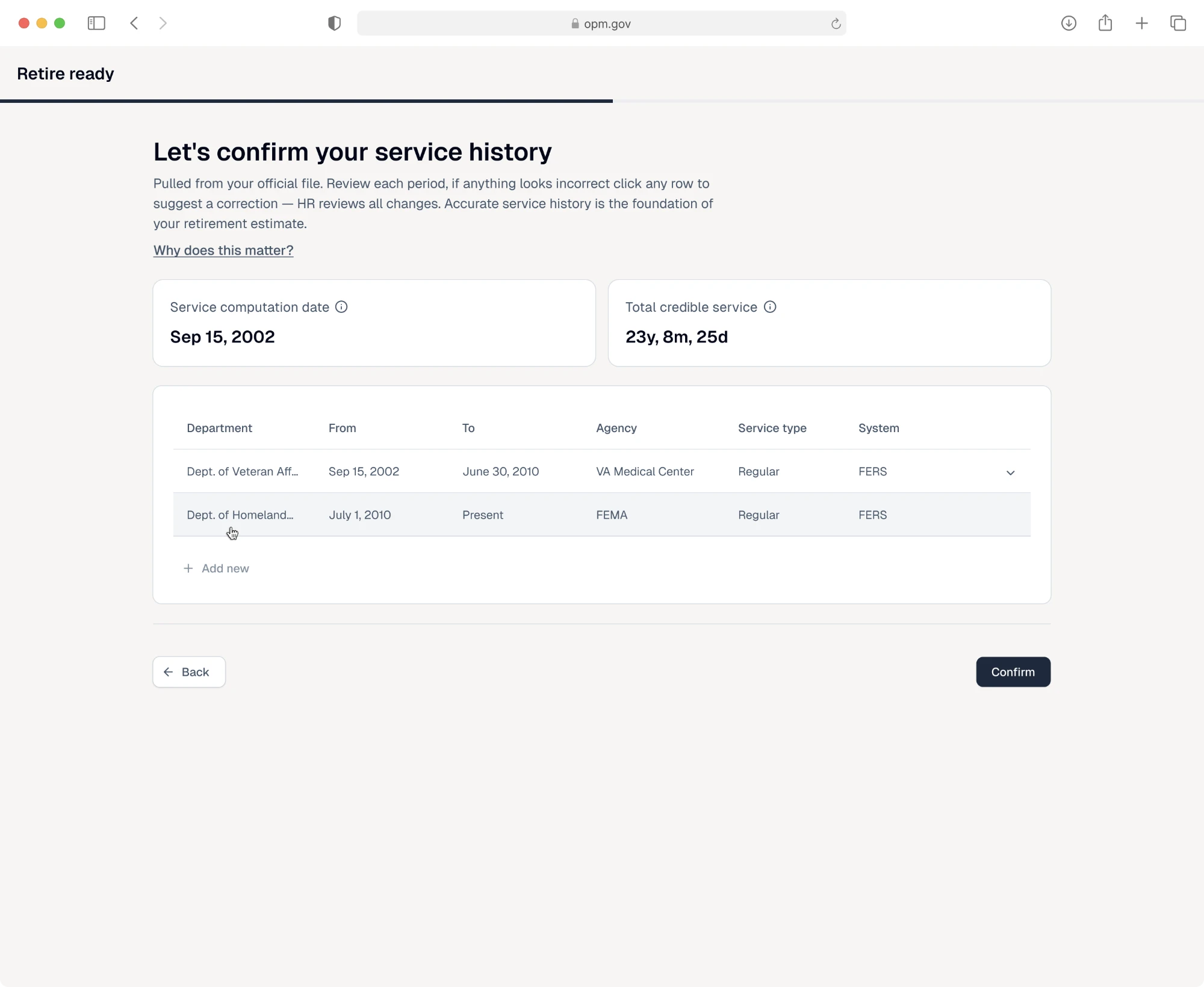
Retire Ready's "Let's confirm your service history" screen, listing each employment period pulled from official records, with total credible service.
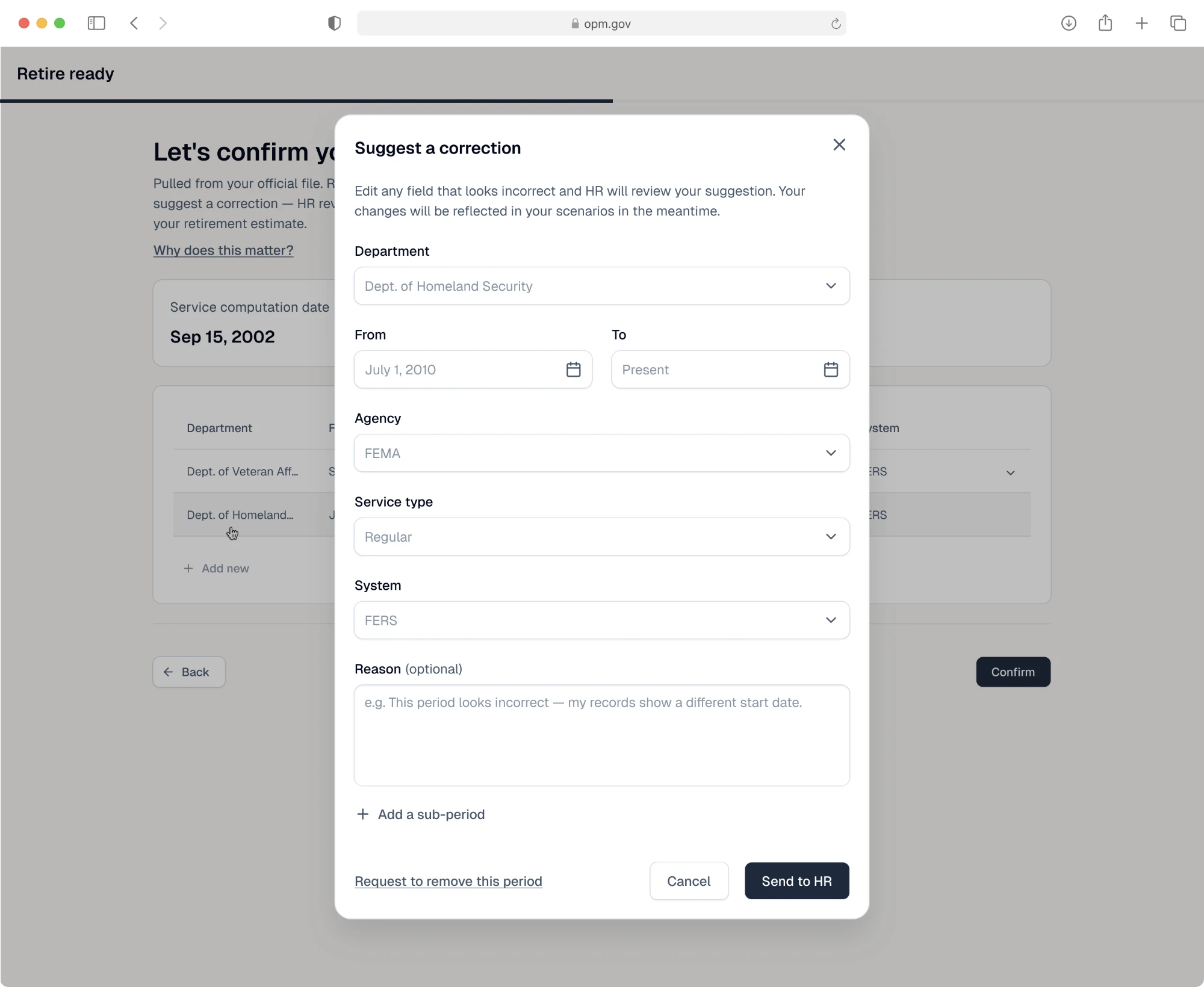
The "Suggest a correction" dialog for a service period, with department, dates, agency, service type, system and an optional reason.
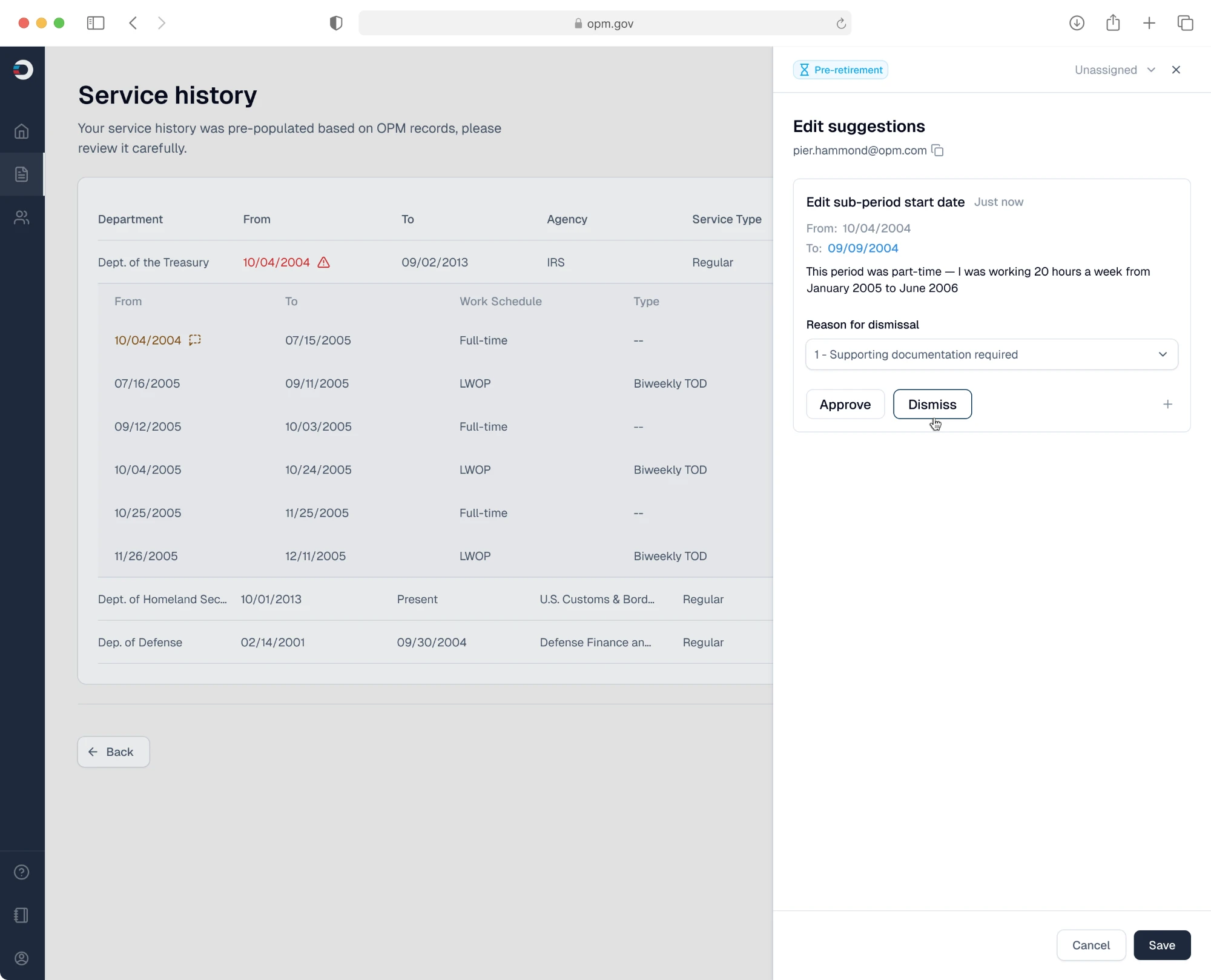
The HR view of service history with an Edit suggestions panel open, showing an employee's suggestion with Approve and Dismiss actions and a reason for dismissal.
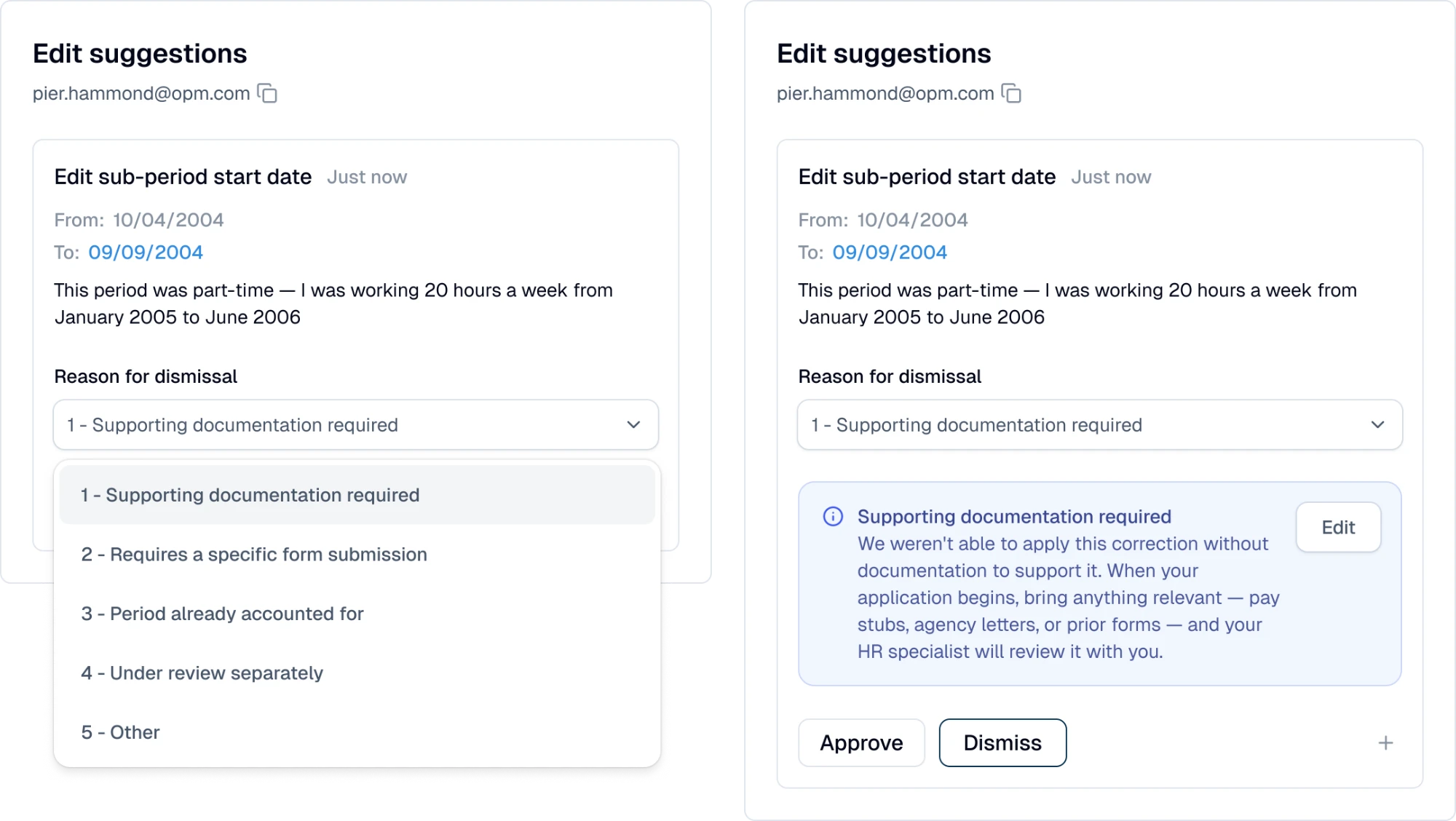
The HR Edit suggestions panel: choosing a reason for dismissal from a pre-defined list of five.
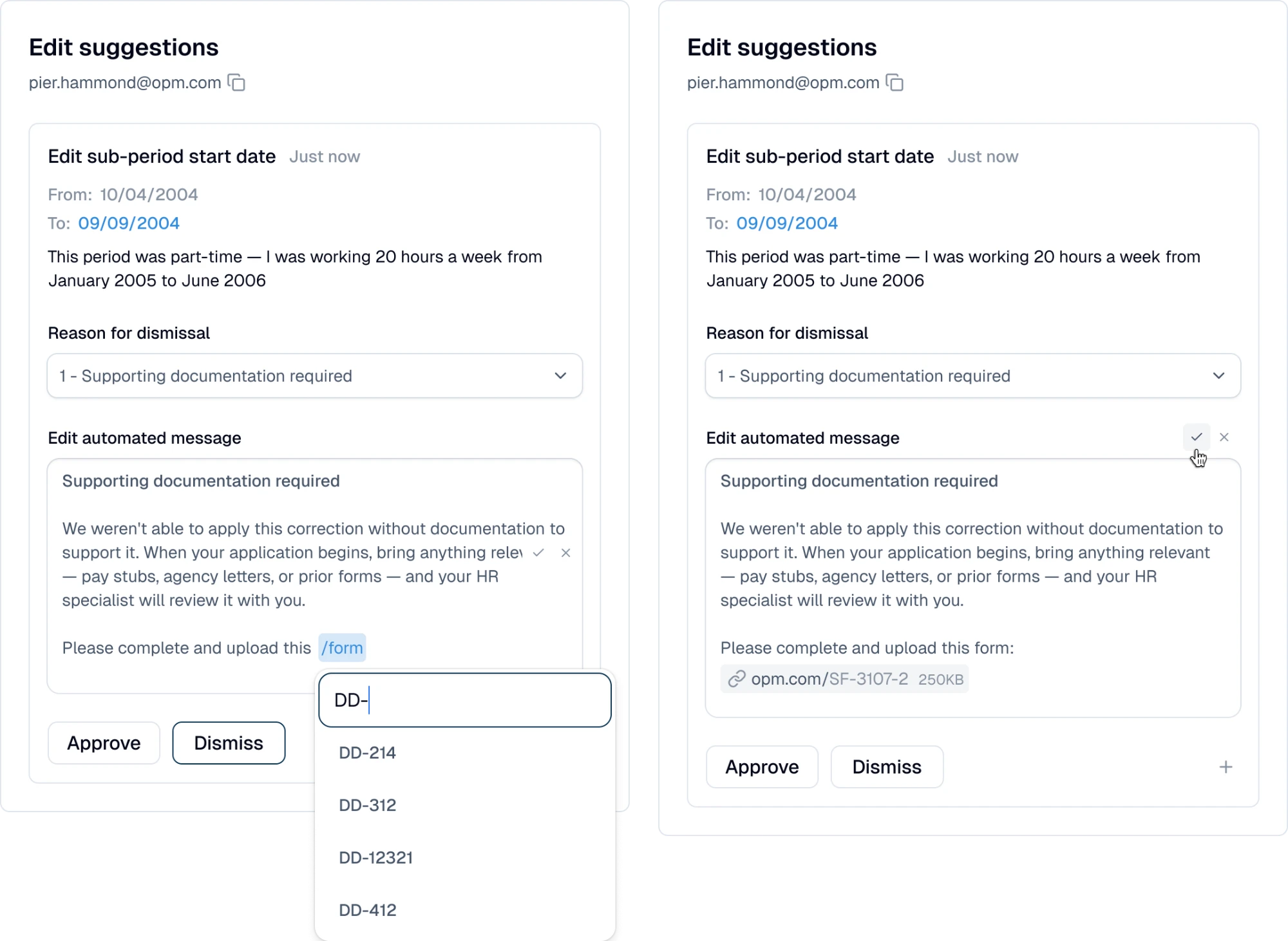
Editing the automated message that goes with a dismissal, and attaching a form with a slash command.
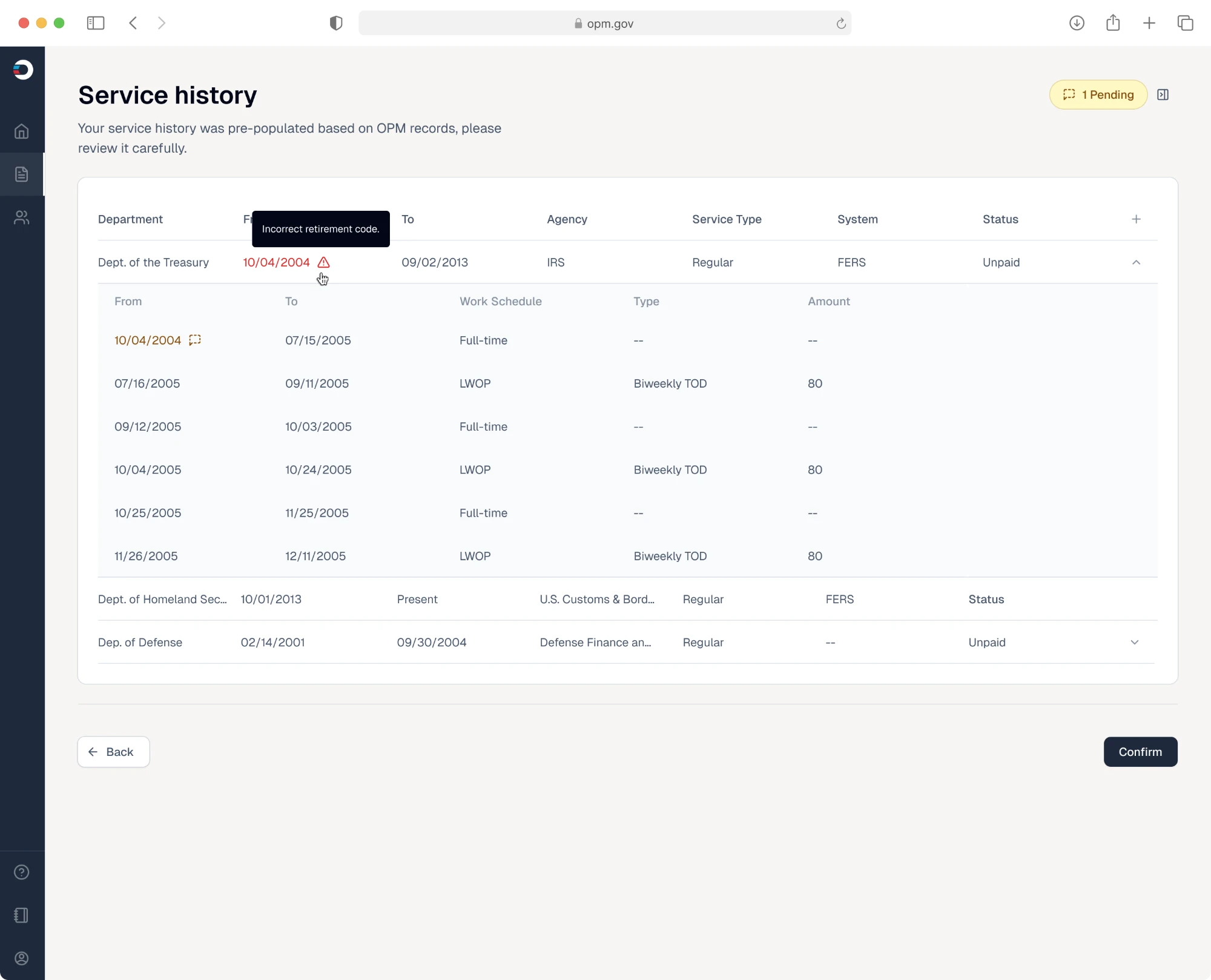
The HR service history table with one pending suggestion, a flagged sub-period date and a tooltip explaining the incorrect retirement code.
ORA
ORA is the platform federal employees use to officially retire, replacing the paper obstacle course with a step-by-step guided wizard on desktop and mobile.
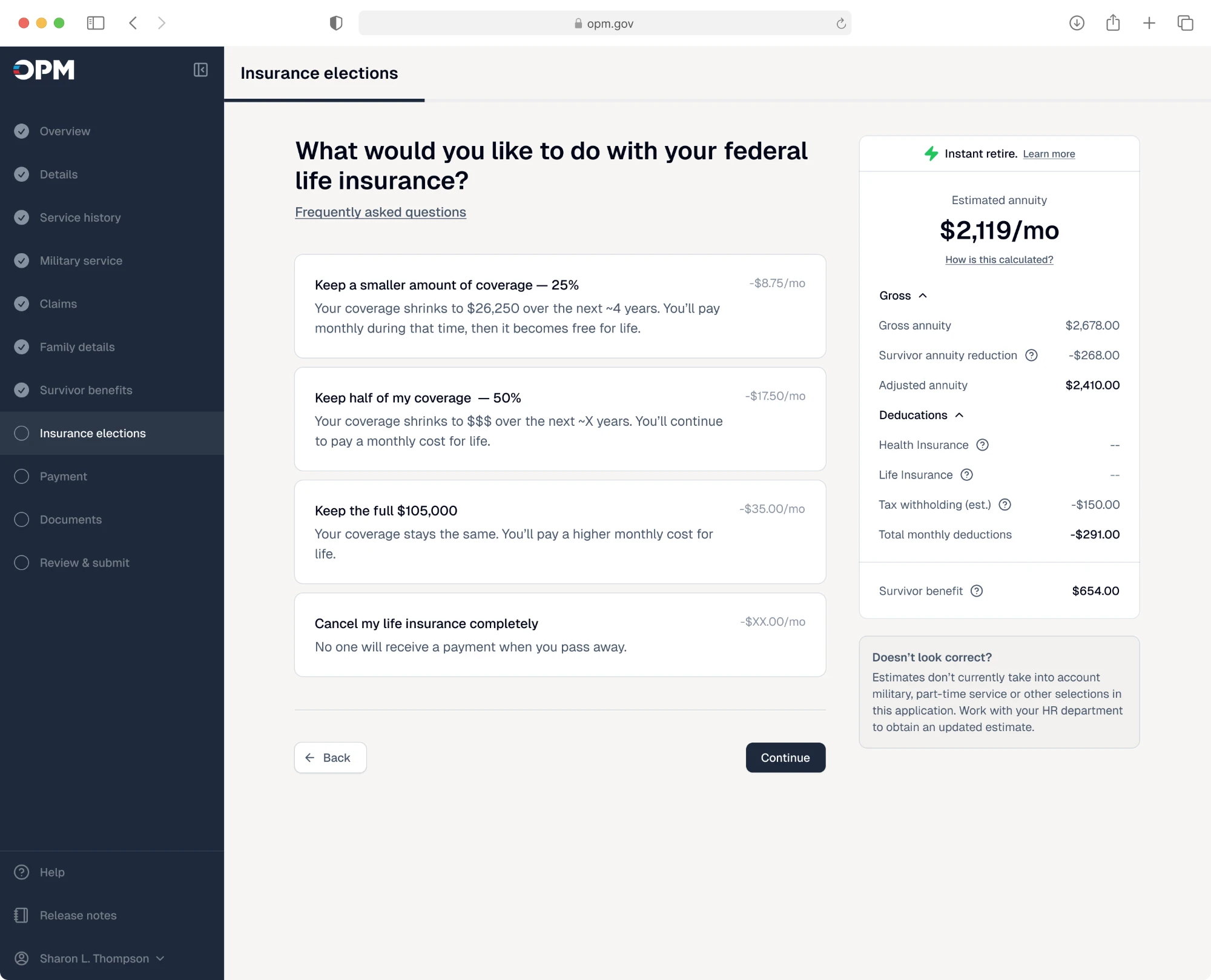
An ORA wizard step, "What would you like to do with your federal life insurance?", with four coverage options and a live estimated annuity breakdown beside them.
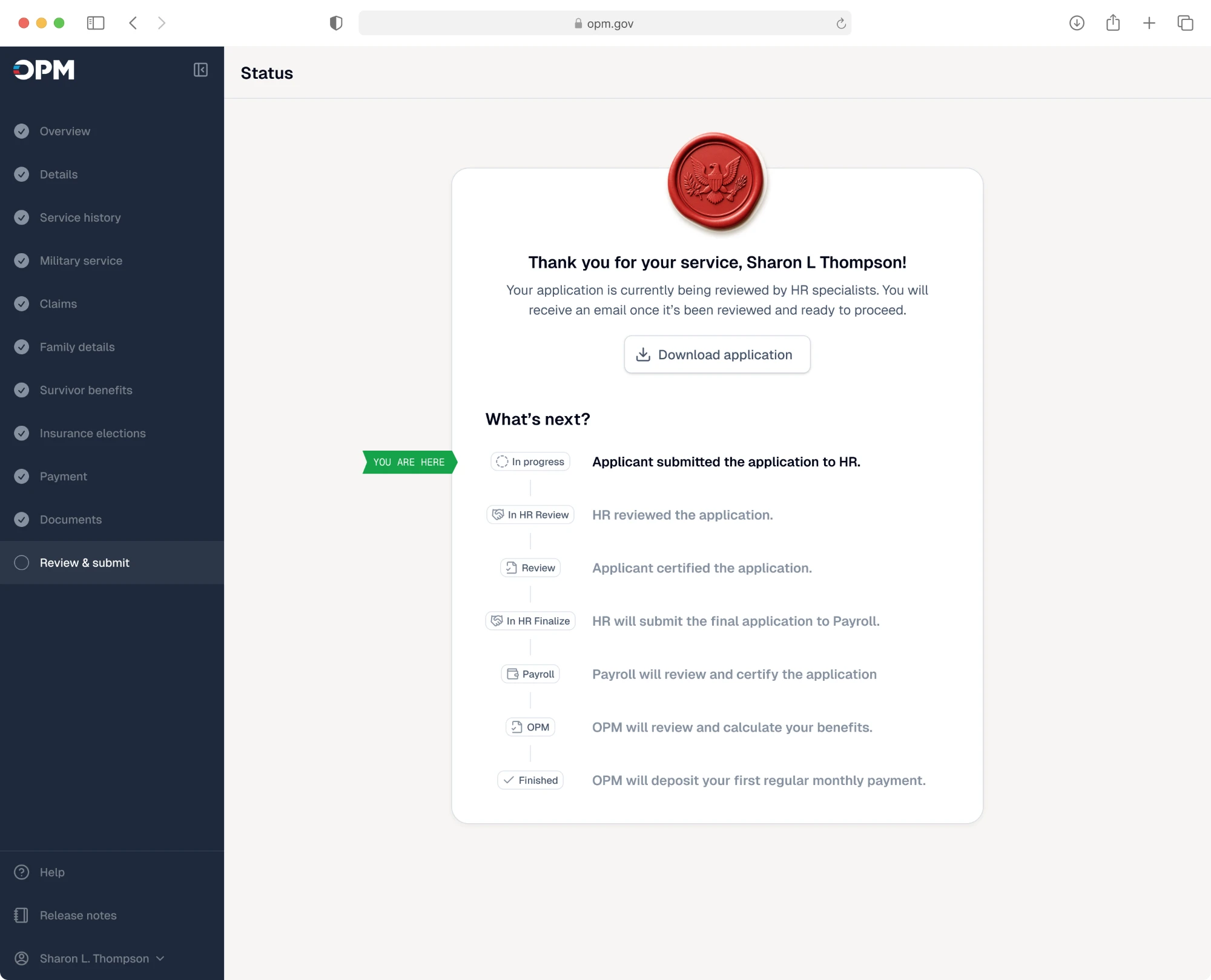
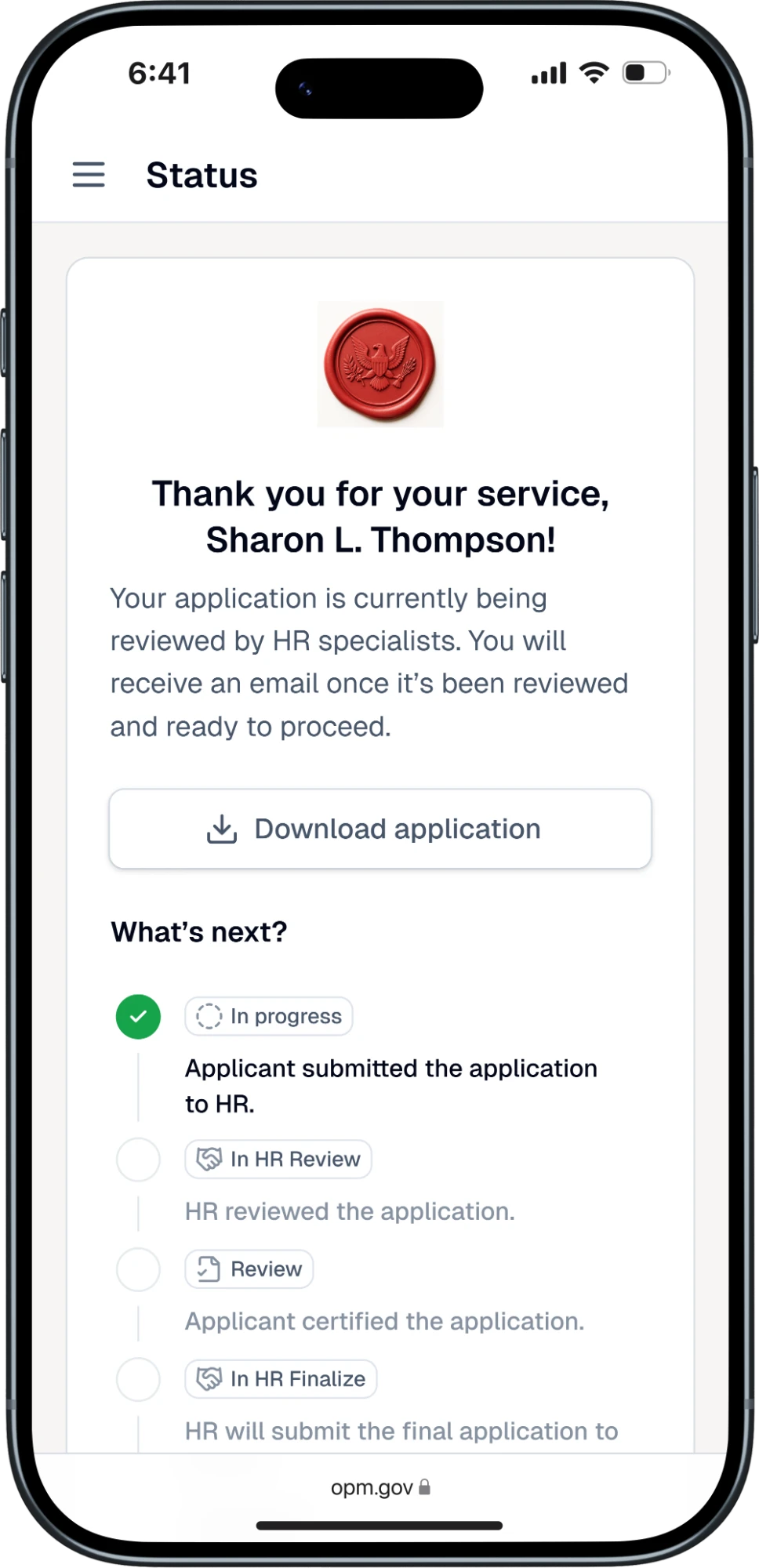
ORA's status screen on desktop after submission, confirming the application was sent to HR and laying out every remaining step through the first monthly payment.The same status screen on mobile.
PreviousNext